Anandabazar Patrika
Parents know the moment their child enters school
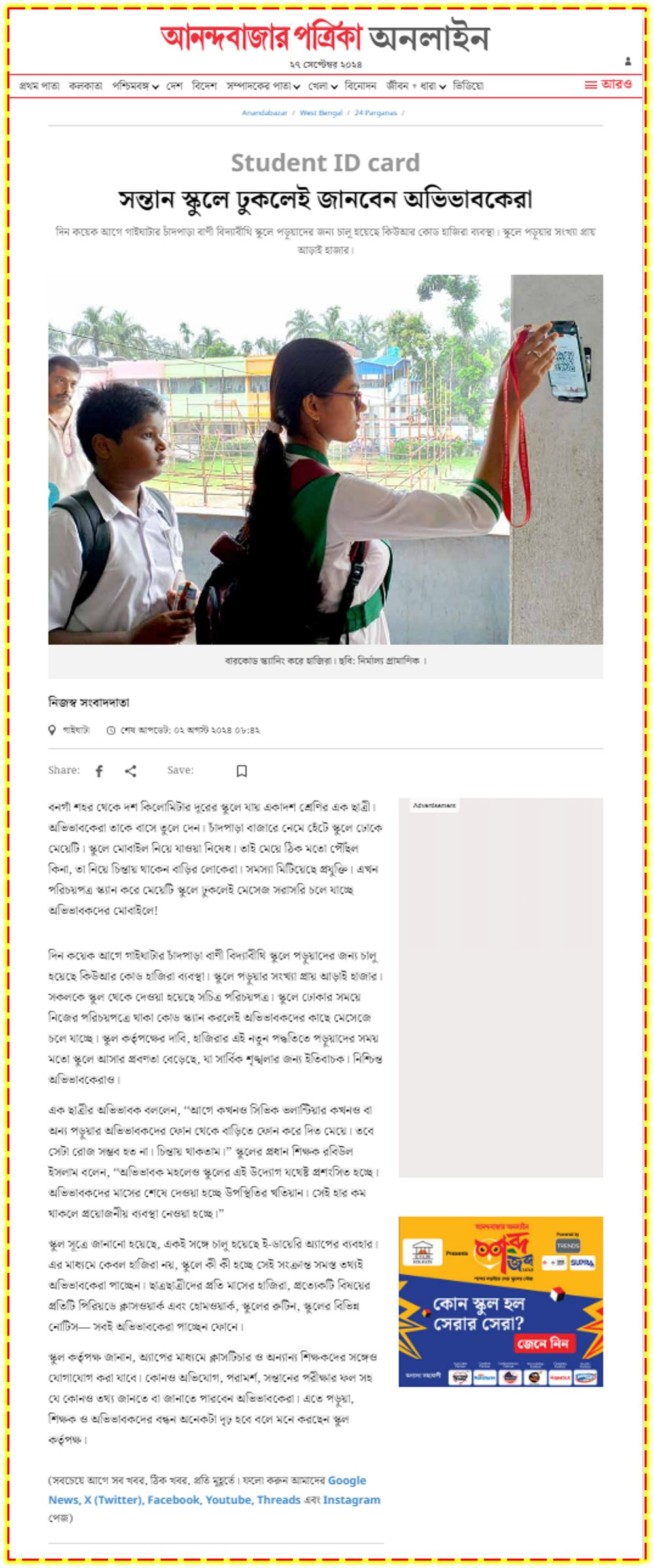
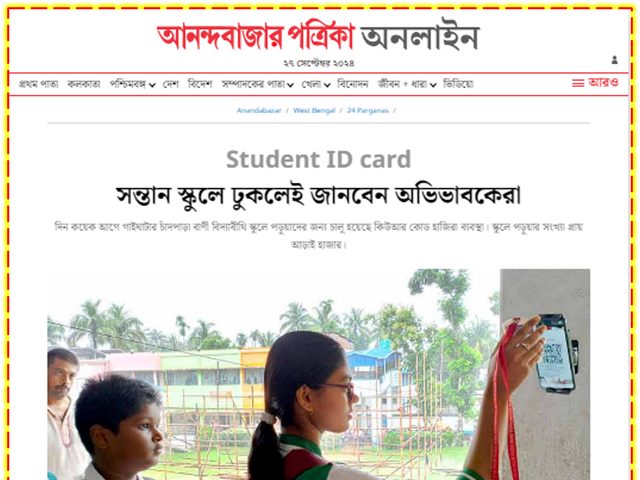
Chandpara Bani Vidya Bithi (H.S.), Gaighata — ~2,500 students
View the clipping · Read on the publisher’s siteAttendances is a cloud-based attendance system for schools, colleges and institutions. Mark students and staff by AI face recognition or by scanning the QR code on their ID card, using the Android phone you already own. Parents are notified the moment their child walks in — and again when they leave.
Sample High School (H.S.)
As reported by
A register called out at 10:40 tells you nothing at 09:15. Students leave home in uniform and never reach the gate; some slip out after first period. Paper registers are slow to add up, easy to fudge, and useless to the one person who most wants to know — the parent at home.
Card readers and fingerprint machines were the old answer. They meant buying terminals per gate, enrolling every single person in front of the device, replacing lost RFID cards that anybody could lend to a friend — and they still sent nobody a message.
“It is possible to know attendance precisely. With this arrangement parents become far freer of worry.”
Most schools run face scan and QR cards together — face for the main entrance, cards as the fallback for a phone that is charging or a student whose photo is pending. Fixed biometric terminals are available where the institution prefers them.
Our face engine is built on the Google Face SDK toolkit and tuned for crowded school gates. Each match completes in roughly 200–300 milliseconds, so a queue of 60+ people per minute keeps moving.
Sample High School (H.S.)
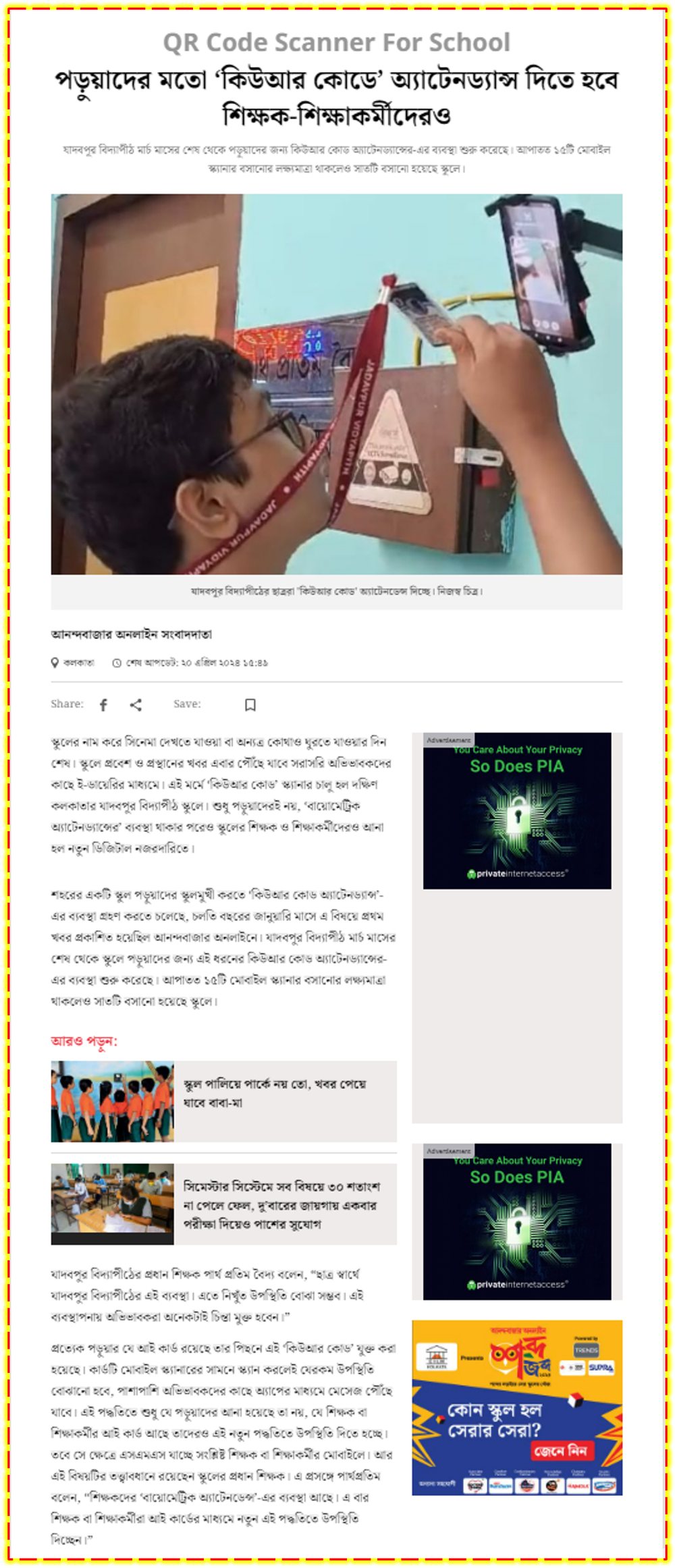
We print a unique QR code on every student and staff ID card. If your cards are already printed, we supply QR stickers that go on the back. The student holds the card up to a phone at the gate or to the class teacher’s phone — and attendance is marked.
A phone is mounted at the gate in a simple stand or wall cradle.
Name, class and roll appear on screen with an audible confirmation.
A push notification reaches the School eDiary app — SMS optionally.
Class-wise registers, defaulter lists and monthly percentages build themselves.
Some institutions want a wall-mounted terminal — for staff payroll, for a factory-style gate, or simply because it is what the management committee approved. We supply, install and integrate eSSL and Hikvision devices for face scan and fingerprint scan, and pull their punches into the same dashboards, reports and parent notifications.
Widely serviced in India, dependable spares, suits staff attendance and payroll integration.
Rugged, fast recognition, good for main gates and high-footfall entrances.
Where policy requires a contact biometric — typically for teaching and non-teaching staff.
Whatever the capture device, parents and administrators see one consistent record.
Every feature below came out of a live deployment — from a few hundred students to well over two thousand, students and staff together, at more than 150 institutions.
Upload the student photo once. Our system registers it for face recognition automatically — no separate enrolment session in front of a machine, ever.
Built on the Google Face SDK toolkit and optimised for speed, so 60+ people a minute pass through without a queue forming.
Existing Android phones and tablets become scan points. Expanding to a second or third gate costs the price of a phone, not a terminal.
Push notification on IN and on OUT through the School eDiary app, with time stamp and verification photo. SMS available at extra charge.
Set class-wise cut-off times and let the system mark absentees itself. A daily defaulter list flags anyone who missed check-in or check-out.
Device-wise, student-wise, class-wise and date-wise reports, exportable to PDF and Excel. Monthly percentages are handed to parents automatically.
Scan on mobile; review on desktop, laptop or tablet. Administrators are not tied to the device at the gate.
Share no image at all, share the face-scan image, or add premium live photo verification on every scan. Your policy, your choice.
Designed, built and supported by our own team since 2012. No third-party dependency between you and a fix.
Any attendance system can tell you a credential was presented. Our premium photo verification tells you who presented it. The instant a student scans their QR code or their face, the app captures a real-time photograph, sends it to the parent alongside the notification, and files a copy in the school’s own records.
Scan on a student’s birthday and the app greets them by name — and the wish reaches the parent too. Costs nothing, remembered for years.
You decide which classes each device may mark. Gate phone for the senior school, a class teacher’s phone limited to their own section.
Choose exactly which device staff use for their own attendance, so staff punches cannot be made from a student-facing gate phone.
The app is deliberately light on mobile data, and captured images are cleared from the device after syncing.
Watch how a scan point is set up, what the operator sees, and what lands on a parent’s phone a second later. Available in English and in Bengali.
Trouble playing here? Watch the English video on YouTube
Trouble playing here? Watch the Bengali video on YouTube
No servers to procure, no cabling, no IT department required. Four steps, and our representative walks you through every one.
Basic details of your institution. Two minutes, from a phone.
We set up your school on the cloud and share login credentials.
Simply download the Excel export from the UDISE+ portal. We upload it and generate QR codes and cards.
Install the app on a phone, mount it at the gate, and mark your first attendance. Dedicated support stays with you through the first week.
That is genuinely all. Everything else — QR generation, card printing, face mapping, app setup, training — sits with us.
Multiple phones scan at multiple points. Everything syncs securely to the cloud, and from there it reaches the parent app, the ERP dashboard, printed registers and PDF/Excel exports.
Every Attendances package ships with selected modules of our School eDiary parent app and School On Web ERP — so the same scan that marks a register also powers notices, homework, fees and academic records.
The parent-facing app. Attendance lands here first, alongside everything else a parent used to chase by phone. School eDiary has 100K+ downloads on Google Play.
The administrative back end — simple, affordable, cloud hosted. Student and staff records, academics, attendance and communication in one place.
We sell biometric terminals too, so this is not a sales pitch against them — it is what actually differs when you put both in a school.
| Aspect | Attendances (QR + app face scan) | RFID / biometric terminal |
|---|---|---|
| Parent communication | Built inReal-time push notifications or SMS with time stamps and photos, improving transparency and engagement. | Not includedNo built-in notification features unless additional software is integrated. |
| Photo verification | YesCaptures a photo during attendance for verification, reducing proxy attendance. | NoRelies solely on RFID cards, which can be swapped or lost. |
| Cost | LowOperates on smartphones or tablets — no card readers or servers to buy. | HigherRequires dedicated readers and cards, raising setup and maintenance costs. |
| Registration effort | MinutesQR codes generated instantly and printed on site; faces mapped from the photo already uploaded. | DaysMapping RFID cards or enrolling faces one by one is slow and needs trained personnel. |
| Scalability | Add a phoneEasily scalable with minimal effort and low maintenance. | Add hardwareScaling means buying more terminals plus ongoing maintenance. |
Our deployments have been covered by Anandabazar Patrika, The Times of India, Bartaman, News18 Bangla and ETV Bharat.
Chandpara Bani Vidya Bithi (H.S.), Gaighata — ~2,500 students
View the clipping · Read on the publisher’s site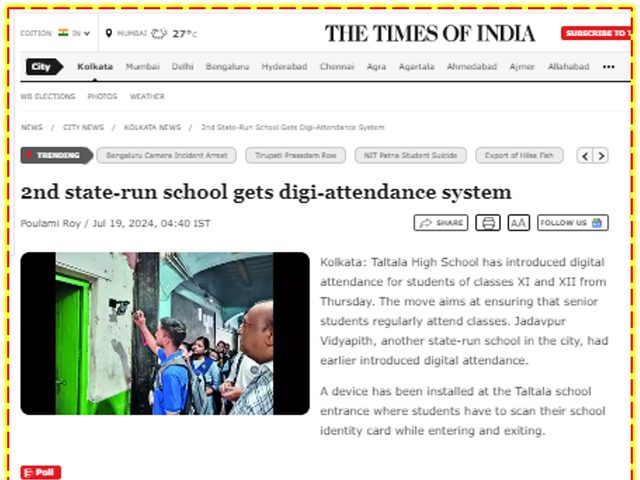
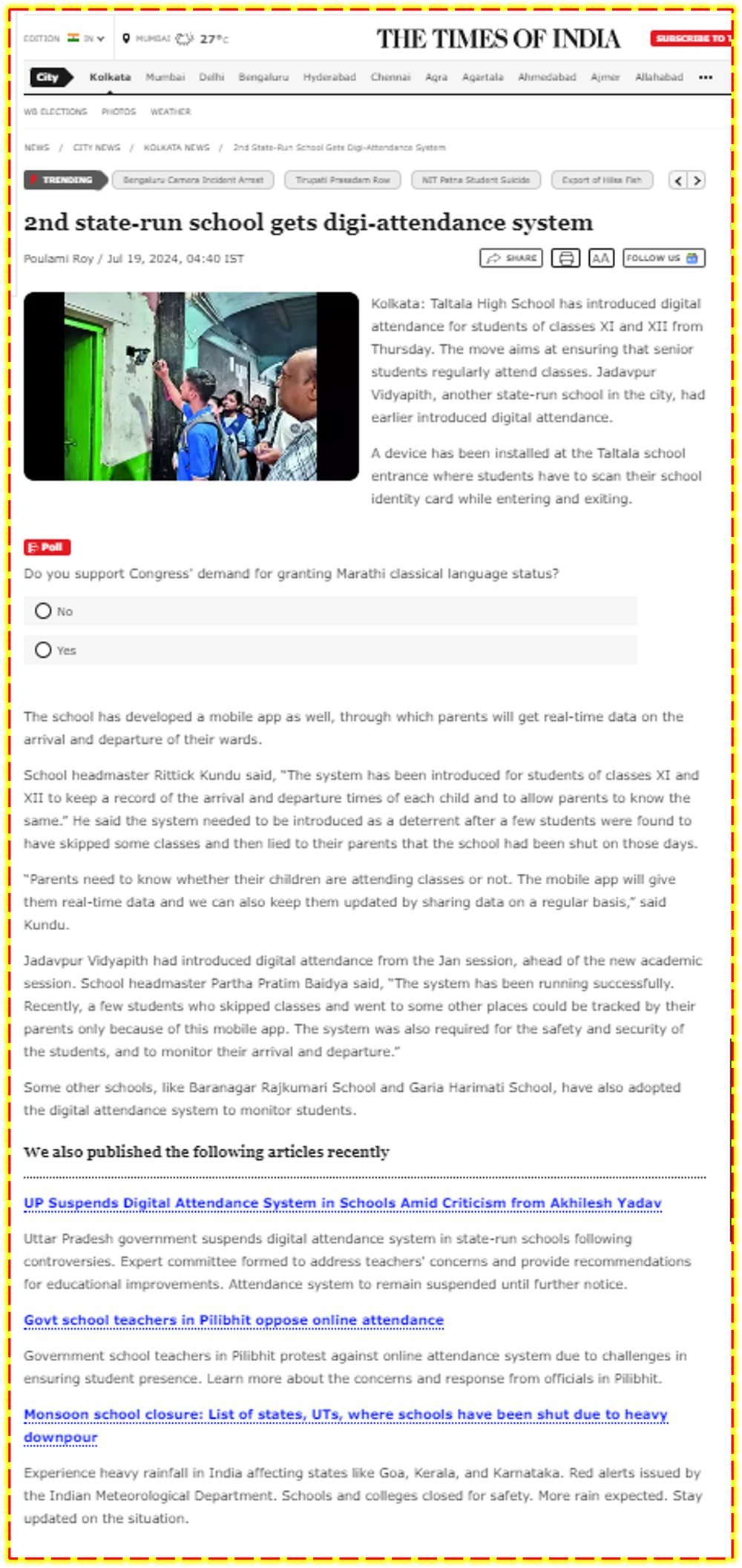
Taltala High School & Jadavpur Vidyapith, Kolkata
View the clipping · Read on the publisher’s site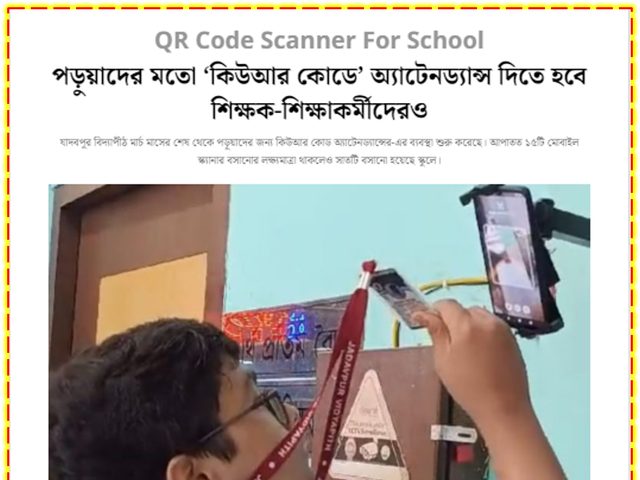
Jadavpur Vidyapith — 7 scan points installed
View the clipping · Read on the publisher’s site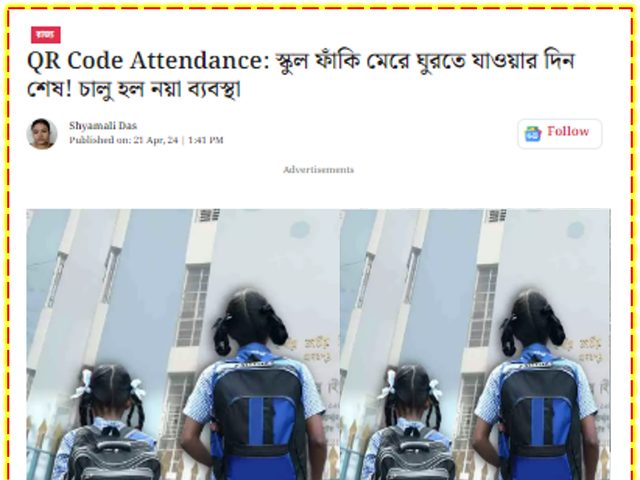
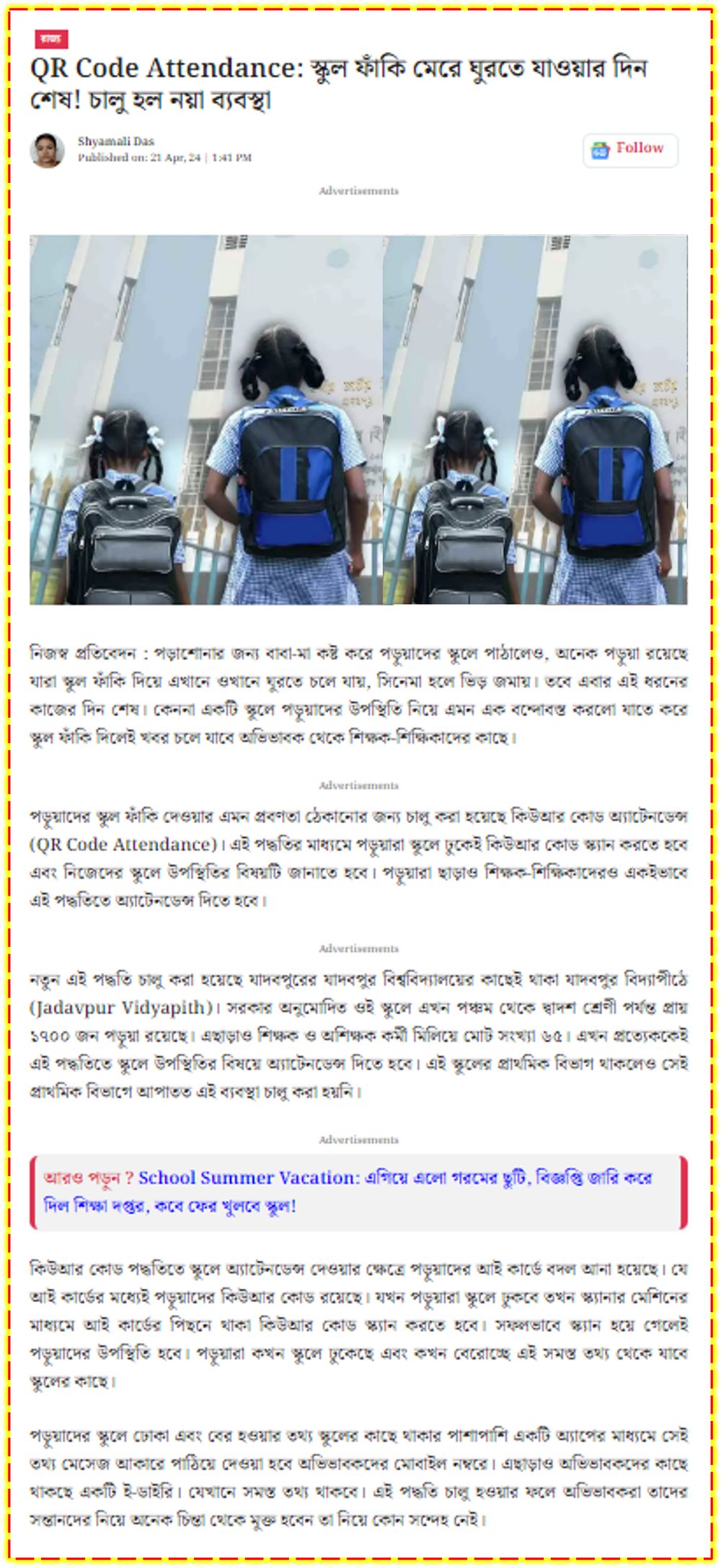
1,700 students and 65 staff onboarded
View the clippingQuoted from the newspapers that covered these deployments. A reference list of institutions is available on request.
“Parents need to know whether their children are attending classes or not. The mobile app will give them real-time data.”
“The system has been running successfully. Students who skipped classes could be tracked by their parents only because of this mobile app.”
“The school’s initiative is being widely appreciated by parents. Attendance statements are given to them at the end of each month.”
No. The Attendances app runs on ordinary Android phones and tablets, so most schools start with a phone the office already owns, mounted in a simple stand at the gate. You only add hardware if you want more scan points, or if you specifically want a wall-mounted eSSL or Hikvision terminal.
That is the difference our schools notice first. Your institution uploads each student's photograph once — the same photo used for the ID card and the School eDiary profile — and our system maps it for face recognition automatically. There is no separate enrolment queue, no standing in line in front of a device, and no re-enrolment when a device is replaced.
Between roughly 200 and 300 milliseconds per person. In practice a single phone comfortably clears 60 or more people a minute, which is why a 1,500-student gate does not back up. Schools with very wide entrances usually run two or three phones side by side.
A push notification through the School eDiary app the moment their child is marked IN, and again at OUT — with the time stamp, and (in the Regular version) the photo captured at the scan. SMS can be enabled as well at extra charge. Parents also get the monthly attendance percentage, notices, homework and more inside the same app.
Yes. Staff attendance runs on the same app, with a separate staff register and separate reports. Several of our schools mark students by face at the gate and staff by fingerprint on a terminal — both feed the same records.
With our premium photo verification option, yes — a live photograph is taken the moment the QR code or face is scanned, delivered to the parent with the notification and retained in the school's records. It is the single most effective deterrent to proxy attendance, because a borrowed card produces a photograph of the wrong face on the right parent's phone.
No. The app is built to run on a nominal amount of data, and captured images are deleted from the device once they have synced — so a school phone at the gate does not slowly fill with photographs.
Yes. The school administrator assigns class access per device — a gate phone can be limited to Classes IX–XII, a class teacher's phone to their own section only. You can also nominate exactly which device staff use to mark their own attendance, so staff punches cannot be made from a student-facing gate phone. There is a wide range of further device-level settings: scan windows, IN/OUT behaviour, auto-absent cut-offs, device names and notification wording.
A small but popular one: when a student scans on their birthday, the app wishes them by name and the greeting reaches the parent as well.
Scanning continues and records queue on the device, then sync when the connection returns. A dropped link delays the parent notification; it does not lose the attendance.
The institution owns its data. Records sit on our cloud infrastructure with access limited to authorised school users, and are exportable to PDF and Excel at any time. The Lite version exists specifically for schools that prefer that face images are never shared outward.
We quote per institution rather than publishing a single price, because it depends on your student and staff numbers, the modules you want and how many scan points you need — and ID cards are priced separately by card type. Please contact us for pricing and we will send a school-specific quote, usually the same working day.
Book a free, no-obligation demo. We will show you face scan and QR scan on a normal Android phone, with parent notifications landing in real time.